
In today’s digital world, remote meetings are the new normal. Whether you’re working from home, attending online classes, or managing a remote team, knowing the right video conference tips can make a huge difference in how professional and productive you appear.
From choosing the right video conference software to setting up proper lighting and using tools like Zoom video conference or Microsoft Teams video conference, small improvements can completely change your online meeting experience.
Let’s break down everything you need to know about improving your video conference skills, tools, and setup.
What Is a Video Conference?
A video conference is a live online meeting where participants connect using video and audio over the internet. It allows people from different locations to communicate in real time.
Common Uses of Video Conference
- Business meetings
- Online classes
- Job interviews
- Client presentations
- Remote team collaboration
Today, platforms like Zoom video conference and Microsoft Teams video conference are widely used across industries.
Choosing the Right Video Conference Software
Popular Video Conference Software Options
The right video conference software can improve your entire experience.
Some popular options include:
- Zoom
- Microsoft Teams
- Google Meet
- Cisco Webex
What to Look For in Software
When selecting a video conference service, consider:
- Video and audio quality
- Screen sharing features
- Security and encryption
- Ease of use
- Meeting participant limits
Video Conference Tips for Better Meetings
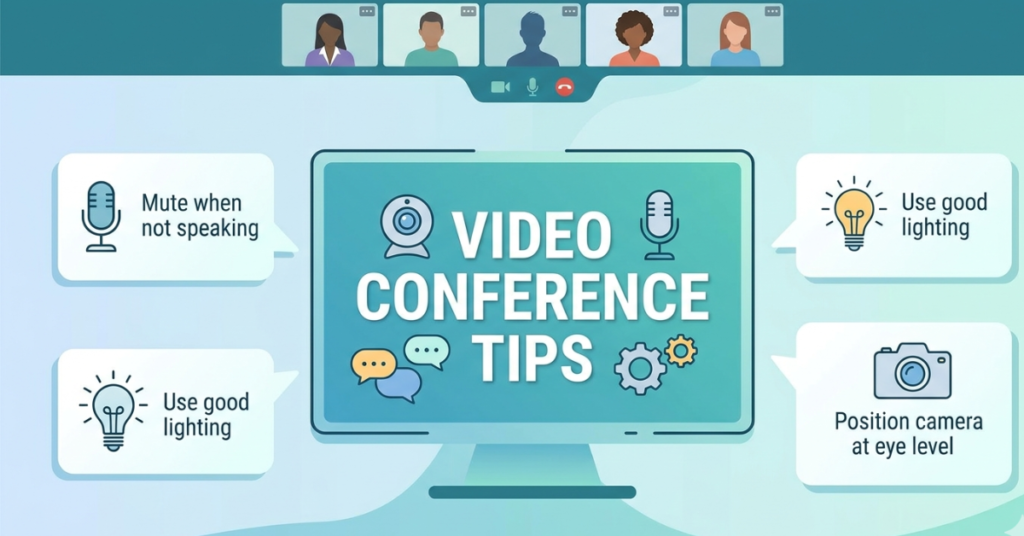
Here are practical video conference tips that will instantly improve your online presence.
1. Check Your Internet Connection
A stable internet connection is essential for smooth communication.
- Use wired connection if possible
- Close unnecessary apps
- Avoid heavy downloads during meetings
2. Use Proper Lighting
Good lighting improves how you appear on camera.
- Face natural light if possible
- Avoid backlighting (like sitting in front of a window)
- Use a ring light for professional look
3. Position Your Camera Correctly
Camera placement matters more than most people think.
- Keep camera at eye level
- Avoid low-angle shots
- Frame your face properly
4. Use Quality Audio Equipment
Clear audio is more important than video.
Recommended video conference equipment includes:
- Headphones with microphone
- External USB microphones
- Noise-canceling earbuds
5. Eliminate Background Noise
- Close doors and windows
- Turn off fans or noisy appliances
- Use noise suppression tools in software
Microsoft Teams Video Conference Tips
How to Improve Teams Meetings
With Microsoft Teams video conference, you can enhance productivity by:
- Using background blur
- Sharing screens effectively
- Using meeting chat for notes
- Scheduling meetings in advance
Teams Pro Tip
Use “Together Mode” to make meetings feel more interactive and engaging.
Zoom Video Conference Tips
Making the Most of Zoom
For a better Zoom video conference experience:
- Use virtual backgrounds wisely
- Enable gallery view for teams
- Use breakout rooms for discussions
- Mute yourself when not speaking
Zoom Etiquette Tips
- Join meetings on time
- Use your real name
- Avoid multitasking during calls
Video Conference Equipment You Actually Need
Basic Setup
To look professional, invest in:
- HD webcam
- Good microphone
- Stable laptop or PC
Advanced Setup (Optional)
For better quality:
- Ring light
- External camera
- Dual monitor setup
Professional Video Conference Tips for Work
Stay Engaged
- Maintain eye contact with camera
- Nod and react naturally
- Avoid distractions
Dress Professionally
Even though you’re at home:
- Wear solid colors
- Avoid overly bright patterns
- Dress as if attending in person
Prepare Before the Meeting
- Test your setup
- Check slides or documents
- Join a few minutes early
Common Video Conference Mistakes
Avoid these common issues:
- Poor lighting
- Weak internet connection
- Talking over others
- Ignoring mute button
- Distracting backgrounds
FAQs About Video Conference Tips
What are the best video conference tips for beginners?
Start with good lighting, stable internet, and proper microphone setup.
Which video conference software is best?
Zoom and Microsoft Teams are the most popular and reliable options.
What equipment do I need for video conference?
At minimum: a webcam, microphone, and stable internet connection.
How can I look professional in video conferences?
Use good lighting, sit at eye level, and maintain a clean background.
Is Zoom better than Microsoft Teams?
Both are great—Zoom is simpler for meetings, while Teams is better for collaboration.
Conclusion
Mastering video conference tips is no longer optional—it’s essential in today’s remote-first world. Whether you’re using Zoom video conference, Microsoft Teams video conference, or any other video conference software, your setup, communication style, and preparation directly impact how you are perceived.
With the right video conference equipment, proper etiquette, and a bit of practice, you can turn any online meeting into a smooth and professional experience.